I feel a little dread starting this post. It seems AI is the hot topic recently, with everyone questioning it’s benefits, negativities, and possible destruction or saving of our culture.
Ick.
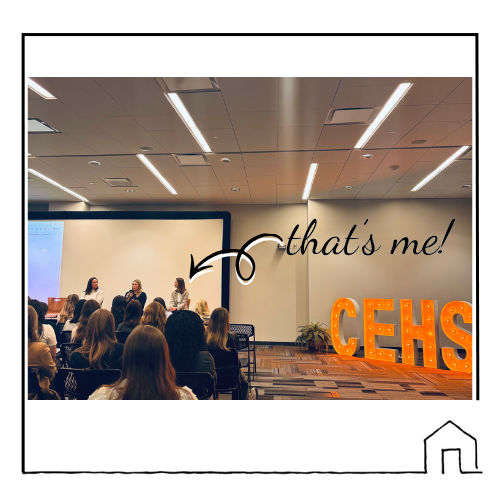
But, don’t worry. I am not going to argue either side of that coin. Earlier this month, I had the opportunity to talk with students at Oklahoma State University in the Interior Design program about residential design and starting my own business. The topic of AI emerged and there were some very interesting approaches and opinions. Today I am going to share some of the ways I use AI, some of the ways I don’ t use AI, and then, a fun way for you to use AI!
So let’s dive in!
I previously used AI for writing social media posts. because the quantity of posts and formula for clicks, was just too much to keep track of, especially for something 90% of people are going to glance at and move on. It is throw-away content, with hopes it catches someone’s attention, but no guarantee it will even be seen with the algorithms. I don’t use Instagram, TikTok or Facebook to promote Space Stylists anymore. It is a race I don’t have time for.
I use AI like a coworker. I wouldn’t ask a coworker to write a blog post for me and then put my name on it, but I would ask for help coming up with a cool alliteration for the name if I am stumped on what word fits best. I would ask a coworker for help brainstorming some ideas, but then ultimately run with it on my own. Things like that - a guide, a tool, but not everything.
Finding products: If I have a vague memory of a product that I used or know kind of what I am looking for, I can plop that word cluster into AI and most of the time it finds what I am looking for - without me digging through my memory to try to remember the company or representative’s name for a certain product. It also provides options I hadn’t heard of! On the personal side, I have been loving using AI for shopping for things, so instead of me wasting an hour looking for a certain type of cup, or new pajama shorts for my son, I can give AI my parameters and it narrows it down and saves me so much time - which is great especially when I am tempted to use online shopping as a time waster and an excuse to avoid other responsibilities.
Example renderings for clients: Okay, this one is a time saver, and potentially controversial. I use AI to create example renderings for clients. I will give it an existing photo, or just prompt it to make a room, and have it add the finishes, colors, furniture, etc. that I am looking at or have selected. Then I add a sketchy filter to it, and voila. A visual graphic to explain the design. Does it work for everything? No - complicated or unique ideas are difficult to explain to it. But standard bathroom and kitchen views, it’s got it. It is odd to remember just a few years ago when half of my career was creating renderings. I would work on a model for hours, weeks, months, before it was client ready. My nose inches away from my screen, carefully crafting the pixels to show the design intent. And I loved it. I loved modeling the room, crafting the cabinets, baseboards, windows, doors, and seeing the lines and white spaces turn into a wall, room, and floor plan. I loved adding color, graphics, patterns, and creating virtually a space that ideally would someday be reality. I was building hallways and room adjacencies on my laptop that actual human beings could someday experience (after a contractor built it in the real world of course). I remember hours of modeling and then clicking a “render” button for a program to add realistic lighting elements, smooth out edges, and create something that almost looked real. Give me a podcast, coffee, and SketchUp/Revit and Lumion and I will get lost for hours.
But that has drastically changed. I kind of wish I was in a standard office now, back at my old job seeing the transition to AI and how companies in commercial design are doing it - but in my little humble home with my lovely kiddos that are WAY more important than some rendering, I am thankful ChatGPT can pop out an image of a small space in minutes so I can get back to my #1 job of being a mama.
For clients that need dimension exact models or actual design guidelines for a contractor, SketchUp/Revit is still needed because AI is a smoke screen - it doesn’t make things to the correct dimensions or provide any solid footing for a detailed project. So, there is still hope for me and my creative heart!
I do not use AI for my blogs. I love writing. I love when the Holy Spirit strikes some inspiration in my soul and then the words just pour into the keyboard and onto the screen. I love feeling inspired by the revelation of ideas and sharing them with others. I love hearing from some of you when you enjoy a post - and most often it was one that I was so nervous to share and held my breath when I hit send. It’s wonderful. and creative, and just makes my heart sing. I do not ever want to use AI to write my blog posts, because it doesn’t feel authentic to me. It feels like a waste of your time, to send something to you that was generated by AI. It is “artificial” intelligence.
There is panic about AI - and no, I don’t claim to know everything - but to me it is just another tool, something to be used in right order to make parts of life easier, to allow more space in other areas of our lives. Not space for more social media content scrolling, but to breathe in fresh air, feel the sun or rain on our face, and make eye contact with the incredible humans we live this life with, especially the one’s God has entrusted to our loving care at home.
Speaking of AI as a tool to use - I have something super fun to share with you next time for the Simple Steps Series. A little hint - do you remember MAD LIBS?!?
If you want to go ahead and sign up for a paid subscription now so you can be ahead of the game to get the download for free, click below!